The Complete Google Business Profile Setup Guide for Contractors
The Complete Google Business Profile Setup Guide for Contractors
Your Google Business Profile is either your best salesperson working 24/7 or your worst enemy costing you thousands in lost visibility.
Most contractors don't realize they have a choice.
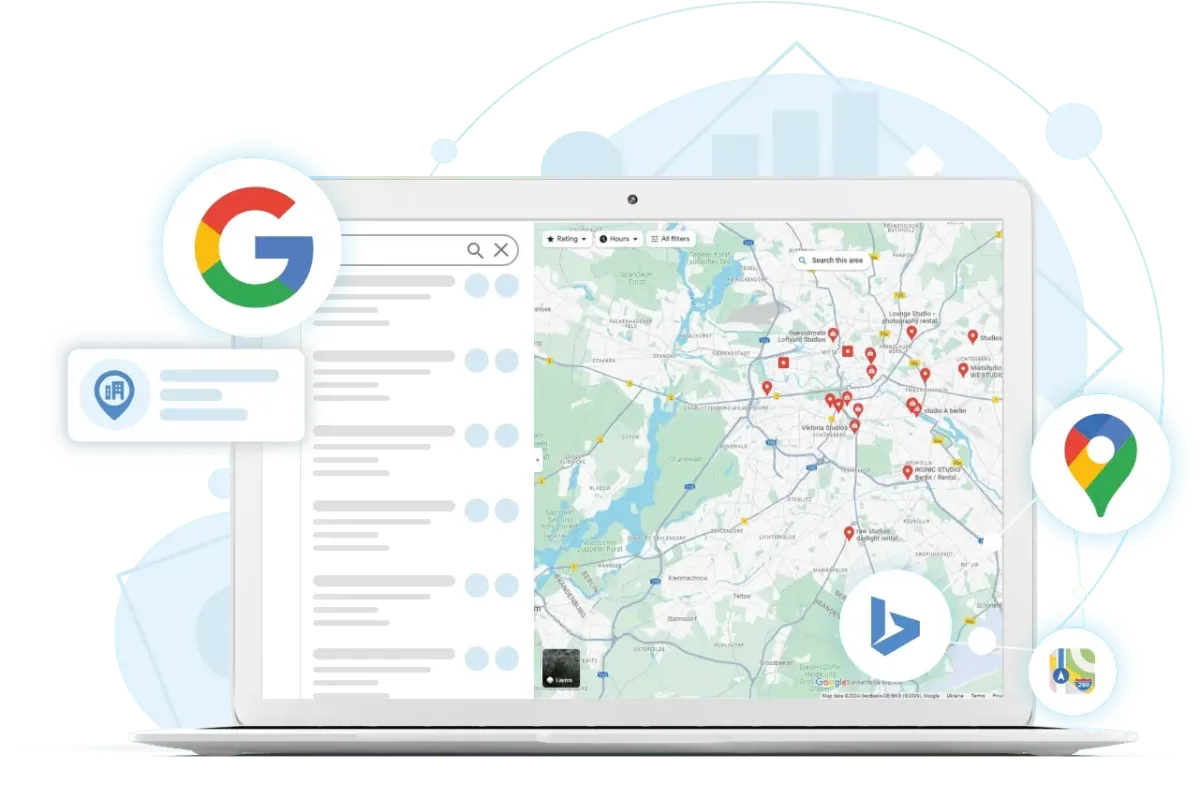
When someone needs a plumber, electrician, HVAC contractor, or any service you provide, they don't flip through the Yellow Pages. They search on their phone. Google shows them a map with three businesses at the top. That's called the Map Pack.
If you're in that Map Pack, your phone rings.
If you're not, you're invisible.
The difference between being in that top 3 and being on page 5 isn't luck. It's not magic. It's your Google Business Profile—and whether you've optimized it correctly.
This guide shows you exactly what to do. Fair warning: it's more detailed than you probably expected. That's intentional.
What Is a Google Business Profile (And Why It Matters More Than Your Website)
Let's start with the basics.
A Google Business Profile (GBP) is your business's listing on Google. When someone searches for your service, Google shows your profile. It includes your photos, reviews, hours, phone number, services, and everything else potential customers need to know.
Here's why it matters more than your website:
Your website is for people who already found you.
Your GBP is for people who are actively searching for someone like you, right now, ready to hire.
A homeowner's water heater breaks at 8 PM on a Tuesday. Water is spreading across the basement floor. They need help fast. They pull out their phone and search "emergency plumber near me."
Google shows three plumbers in the Map Pack. That's it. Three options. Most people choose one of these three.
Your website doesn't even show up. Your GBP does. Or it doesn't. That's the game.
If your GBP is optimized and you're in that top 3, you get the call. If you're not, someone else does. Even if you're better. Even if you're cheaper. Even if you're closer. If you're not in the Map Pack, you lose.
Step 1: Claim Your Profile (If You Haven't Already)
Before you can optimize anything, you need to actually own your profile.
Google automatically creates profiles for businesses based on public information. So there's probably already a profile for you out there. You just need to claim it.
Here's how:
Go to business.google.com
Sign in with a Google account (create one if you don't have one)
Search for your business name
If you see your business listed, click "Own this business?"
Follow the verification steps
Google will verify you're the legitimate owner, usually by sending a postcard to your address with a verification code. It takes about 5-7 days.
Don't skip this step. You can't optimize or manage your profile until Google verifies you actually own the business.
Step 2: Complete Every Single Field (This Is Critical)
Once you're verified, it's time to fill out your profile completely. And I mean completely.
Google rewards comprehensive profiles with better visibility. Think of it like a job application. If you only fill out half the fields, you're not getting hired. Same logic here.
Here's what you need to complete:
Business Name
Use your actual legal business name. Don't try to game the system by adding keywords like "Bob's Plumbing Emergency 24/7 Best Plumber Near Me." Google will penalize you for that. It looks spammy and costs you credibility.
Just use your real name.
Business Category
Choose the most specific category that matches what you do. If you're a plumber, choose "Plumber," not "Home Improvement."
You can add secondary categories, but your primary category is what Google uses to match you to relevant searches.
Address
Use your actual physical address. If you run from home and don't want to show your home address publicly, use your service area instead (we'll talk about that next).
Consistency matters. Make sure this address matches exactly what's on your website, business cards, and everywhere else.
Service Area
This is where you tell Google which towns and cities you serve. Be specific. If you serve five towns, list all five. If you serve a 20-mile radius, list the major towns in that radius.
The more specific you are, the better Google can match you with people searching in those areas.
Phone Number
Use a local phone number, not a 1-800 number. Local builds trust. And make sure this is the same number everywhere: your website, your trucks, your business cards, your Google profile.
Consistency signals legitimacy.
Website
Add your website URL. If you don't have one yet, Google will create a simple one for you. It's basic, but it's better than nothing. (We'll cover proper websites in another post.)
Hours of Operation
Set your hours accurately. If you offer emergency service and work 24/7, mark that. If you're closed Sundays, mark that. Update this for holidays.
Contractors often get flagged as "closed" because their hours are outdated. This kills your visibility.
Business Description (750 characters)
You get 750 characters to describe your business. Use them.
Talk about what makes you different. How long you've been in business. What services you offer. What areas you serve. Keep it focused on what customers care about.
Good example: "Family-owned plumbing company serving Springfield and surrounding areas since 2010. We specialize in emergency repairs, water heater installation, drain cleaning, and bathroom remodeling. Available 24/7 for emergencies. Licensed, insured, and committed to showing up on time and getting the job done right."
Bad example: "Plumbing services."
The good example answers: Who are you? How long have you been around? What do you do? Are you available when I need you? Can I trust you?
The bad example answers nothing.
Services (Be Specific)
List every service you offer. Don't just put "Plumbing." Break it down: drain cleaning, water heater repair, water heater installation, leak detection, pipe repair, bathroom remodeling, kitchen plumbing, sewer line repair.
The more specific you are, the more different searches you'll show up for.
If someone searches "water heater installation near me" and you've listed that specific service, Google is more likely to show you than if you just listed "Plumbing."
Attributes
Google offers various attributes you can add: Veteran-owned, Women-led, Online estimates, Emergency services, Accepts credit cards, etc.
Select the ones that apply to your business. They help you stand out and answer common customer questions.
Step 3: Photos (The Secret Weapon)
Photos might be the most underrated part of your GBP.
Businesses with photos get 42% more requests for directions and 35% more clicks to their websites than businesses without photos.
Why? Because photos build trust. When someone sees your face, your truck, your team, and your work, you become real. You're not just a name and a phone number.
Here's what to upload:
Your Logo A clean, professional logo. If you don't have one, a photo of your business name on your truck works.
Your Trucks (2-3 photos) Clean, well-lit photos of your work vehicles with your business name visible. If you have multiple trucks, upload all of them. This shows you're established and professional.
You and Your Team (3-4 photos) Photos of you and your team members. Wear your work clothes, stand next to your truck, smile. People want to see who's coming to their house.
Your Work (5-10 photos) Before and after photos of jobs you've completed. A newly installed water heater. A freshly wired electrical panel. A beautiful new roof.
These photos prove you know what you're doing and give customers confidence.
Pro tip: Start taking photos of every job you do right now. Use your phone. Before photo when you start, after photo when you're done. Upload one batch per week to your GBP. Fresh photos tell Google your business is active, and Google rewards active businesses with better visibility.
Step 4: Reviews (Your Social Proof)
Reviews are the engine that drives your entire Google Business Profile.
Here's the stat: 88% of customers trust online reviews as much as personal recommendations.
That means your reviews are literally as powerful as word-of-mouth. But most contractors never ask for them.
How to Get Reviews
Ask at the right moment: right after you finish a job and the customer is happy.
Say: "I really appreciate your business. If you're happy with the work, would you mind taking 2 minutes to leave us a quick review on Google? It really helps us get more customers like you."
Send them the link via text message (not email). Text has 80% open rate vs. 20% for email.
Your review link: Go to your GBP, click "Get more reviews," copy the link, save it.
Follow up once if they don't do it within a few days. That's it.
Never offer incentives. Google forbids it, and it looks sketchy.
How to Respond to Reviews
Respond to every review, positive and negative. Positive reviews show you appreciate customers. Negative reviews show you handle criticism professionally.
Positive review response: "Thanks so much, [Name]! We're really happy we could help you with your [specific job]. If you ever need anything else, don't hesitate to call."
Negative review response: "We're sorry to hear about your experience. We always aim to arrive on time, and we apologize that we were late to your appointment. We'd love the chance to make this right. Please call our office at [phone] so we can discuss how to resolve this."
See what happened there? You acknowledged the problem, apologized, gave a brief explanation, and offered to fix it. Future customers reading that think: "Okay, they made a mistake, but they handled it professionally."
Step 5: Posts (Keeping It Fresh)
Google has a posting feature on business profiles, kind of like social media. You can post updates, photos, offers, and news.
Why does this matter? Because Google pays attention to how active your business is. Profiles that post regularly get shown more often in search results.
You don't need to post every day. Once a week is perfect.
Example posts:
"Just finished installing a new tankless water heater for a happy customer in [Town]. If you're tired of running out of hot water, give us a call!"
"Winter is coming! Don't wait until your furnace breaks down. Schedule your furnace inspection now."
"Pro tip: Turn off your outdoor faucets before the first freeze. It takes 5 minutes and could save you hundreds in burst pipe repairs."
Keep posts short, include a photo when you can, make them relevant to your customers. That's it.
Step 6: Monitoring Your Results
Google gives you free analytics for your Business Profile. Check these weekly:
How many people viewed your profile
How many people called you
How many people visited your website
How many people requested directions
What search terms people used to find you
If you see your views going up, you're doing something right. If you see them dropping, you need to step up your game with posts, photos, and reviews.
The Reality Check
Here's what this all requires:
Initial setup: 3-4 hours (claim profile, fill out all fields, upload photos)
Ongoing maintenance: 2-3 hours per week for the first 3 months, then 1-2 hours per week after you build momentum
Key actions every single week:
Ask for reviews from 3-5 customers
Respond to all reviews
Post once on your profile
Upload new photos
Timeline to see real results:
Month 1: Maybe slight uptick in visibility
Months 2-3: Noticeable increase in calls/views
Months 4+: Consistent, compounding improvements
This is doable. Many contractors do this themselves.
But it requires consistency. It requires discipline. It requires remembering to do it every single week, even when you're busy.
And that's the part most contractors struggle with.
The Real Question
You now know exactly what's involved to properly optimize your Google Business Profile.
The question isn't: "Can I do this?"
The question is: "Should I?"
Can you dedicate 2-3 hours per week for the next 3 months? Probably. But will you actually do it consistently? Or will you do it for a month and then life gets busy and it falls off your radar?
Be honest with yourself.
Some contractors handle it themselves. They're usually ones who aren't fully booked yet and have some capacity. The ones who are slammed with jobs and don't have extra hours? They end up hiring someone.
It's not about capability. It's about capacity.
The Next Step
The fastest way to know exactly what your profile needs and what it's costing you is to get a professional assessment.
Our free 15-minute profile audit shows you:
Everything that's complete vs. incomplete in your profile
Quick wins you can implement today
What you're missing that's costing you visibility
Your specific review gap vs. top 3 local competitors
Realistic timeline to close that gap
What the financial impact could be
No pitch. No pressure. Just a clear picture of where you stand and what's possible.
Click the 'Book A Free Consultaion' above to book your call today!
Sometimes doing it yourself is the right call. But if it's not, you'll want to know that sooner rather than later.
Your phone should be ringing more than it is.
